
Linkerbot L20
Linkerbot L20 is a dexterous robotic hand recorded in the Dexhands directory. Original sources and specifications are listed on this page. Record source date: 2026-09-16.
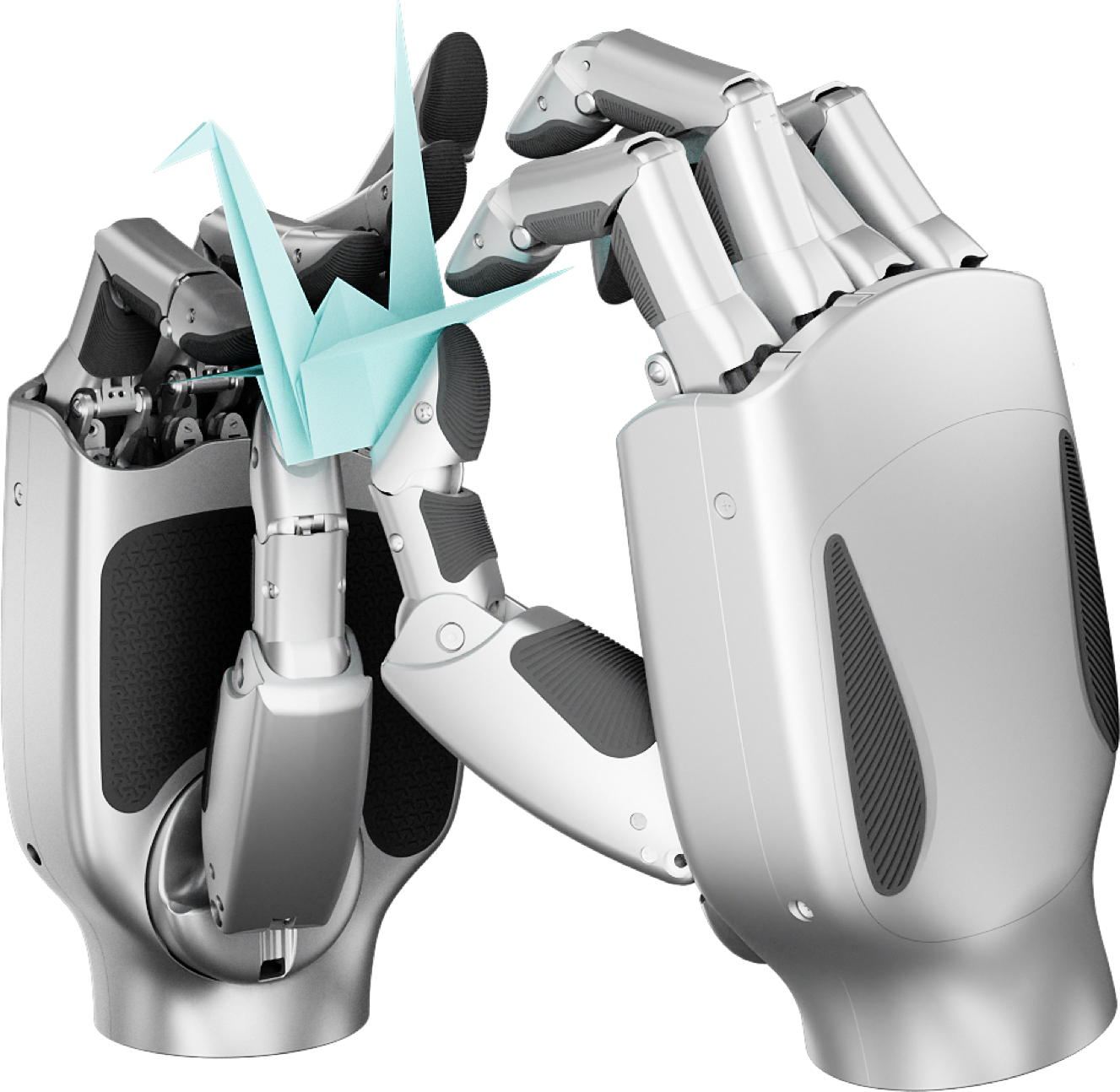
Specifications
Record source date: 2026-09-16
Active / total DOF: 16 / 21
Tactile configurations available; joint telemetry
Weight basis: hand; maker nominal approximately
Availability / status: Current / marketed
Evidence limits: Core mechanics refreshed. Sensor package requires revision-specific confirmation. Maximum load is not a standardized continuous payload.
Price scope: USD9,999 per left/right hand. Seller revision may differ from current maker specification.
Start with Linkerbot L20
Choose the L20 SDK configuration and inspect its action mapping before commissioning motion.
The manufacturer publishes C++ and ROS SDK documentation with L20 configurations. Dexhands reviewed the documentation; no build or hardware test is claimed here.
Sources reviewed 2026-10-22 · no hardware connection from this pageBefore you start: versions and requirements
Record the exact L20 revision. L20, L20 Lite, L20 V10+ and other LinkerHand variants have distinct configurations. Confirm the SDK release and protocol against the delivered unit.
- Exact model revision, handedness and firmware identification.
- The matching manufacturer SDK and its platform requirements.
- A unit-specific protocol/action map before a physical test.
Select a documented SDK route
The C++ repository lists L20 support and platform/build requirements. The ROS1 route documents Ubuntu 20.04 and Noetic. Select one environment deliberately and pin its commit; documentation for another ROS version is not a compatibility guarantee.
Official C++ SDKBuild before connecting hardware
Follow the chosen SDK’s build instructions with the hand disconnected. Record dependency errors and the actual compiler/platform. Compiling an example does not establish that the physical bus or hand is configured correctly.
Build and integration instructionsCheck the L20 command map
The ROS documentation’s L20 command list includes reserved entries. Array length is not the number of active DOF. Match the model, handedness, units and bus settings before following the manufacturer’s motion commissioning procedure.
ROS configuration and joint mapping
What counts as a useful result?
- The report names the exact L20 revision and SDK commit.
- Every command slot is mapped by meaning, including reserved entries.
- Build status, communication status and motion-test status are reported separately.
If something does not work
- Assuming every bus works on every model
- The C++ support table assigns different protocols to different variants; check the exact row for your unit.
- Unexpected joint motion
- Stop motion and check the selected model and action mapping. Never infer controllable DOF from message length.
- Configuration contains a password
- Keep credentials out of shared configs, reports and Git. Review privileged CAN setup locally with your administrator.
Prepare an experiment report
Fill in observed results and failures. Keep credentials, serial numbers and confidential designs out of public reports.
Enable JavaScript to continue to the discussion editor, or copy this template manually.
Guide updates
· Added a revision-specific SDK review, action-slot checks and troubleshooting without claiming hardware compatibility tests.
Explore the hand. Right here.
Rotate, zoom and adjust individual model joints. Downloads begin when you choose Load 3D model. This is geometry, not a physical performance test.
Open larger view ↗ · 27 licensed models available
Software, projects & datasets
What is ready to build with?
A software-support statement is not established in this record.
Product source ↗Check each link’s model scope, release, files and license. A reference is not a tested integration.
No independent hardware performance or SDK integration test is recorded here. Browser model previews show geometry only.
Curated public references, checked 2026-10-25. Links describe a model or family relationship, not hardware-tested compatibility.
LinkerHand Python SDK
Linkerbot · Family resource
Manufacturer Python control interfaces and examples.
Select the supported model and communication configuration; the family includes different joint counts.
LinkerHand ROS 2 SDK
Linkerbot · Family resource
ROS 2 integration listing O6, L6, L10 and L20 among supported models.
Match the model identifier and ROS branch. Other O/L variants are not implied.
All Hands Up! — Linkerbot L20 3D viewer
RLWRLD · Model-specific
External browser viewer with joint controls, pose presets and simulated thumb-reach visualization.
For the L20 reference, not L20 Lite. Simulation visualization is not a hardware test or device driver.
LinkerHand L20 · right — original model package
linker-bot · Family resource
Original publisher geometry used by the native Dexhands viewer. Apache-2.0; pinned source 49f26021b0a91ff5c33150df22970c07bb548672.
Original Linker L20 right-hand URDF at the pinned revision. Geometry and joint limits only; confirm hardware revision and sensing configuration.
Learn to audit a model-to-hand interface →
Frequently asked questions
What is the Linkerbot L20?
Linkerbot L20 is a dexterous robotic hand record in the Dexhands directory. Record source date: 2026-09-16.
What are the specifications of the Linkerbot L20?
Active / total DOF: 16 / 21. Sensing: Tactile configurations available; joint telemetry. Weight basis: hand; maker nominal approximately. Availability / status: Current / marketed.
How much does the Linkerbot L20 cost?
Public price observations: USD9,999 per left/right hand. Seller revision may differ from current maker specification. Confirm current pricing with the manufacturer or a supplier.
Where can I buy or source the Linkerbot L20?
Check the original source links on this page, or use the Dexhands sourcing page to send one request to multiple suppliers.